B. Getting Started
Create Your First Domain
Create the workspace your AI representative lives in. A domain sets the scope of knowledge the assistant is allowed to use.
By aninditoUpdated 6 Sep 2026
This guide creates the workspace for your AI representative.
In Privas AI, a domain defines the scope in which the representative operates. The assistant answers questions using only the knowledge assigned to this domain.
Why this step matters
Before the representative can appear on your website, Privas AI needs to know which website it belongs to and which knowledge it is allowed to use. Creating a domain establishes that scope. Without a domain, the assistant has no context to work from.
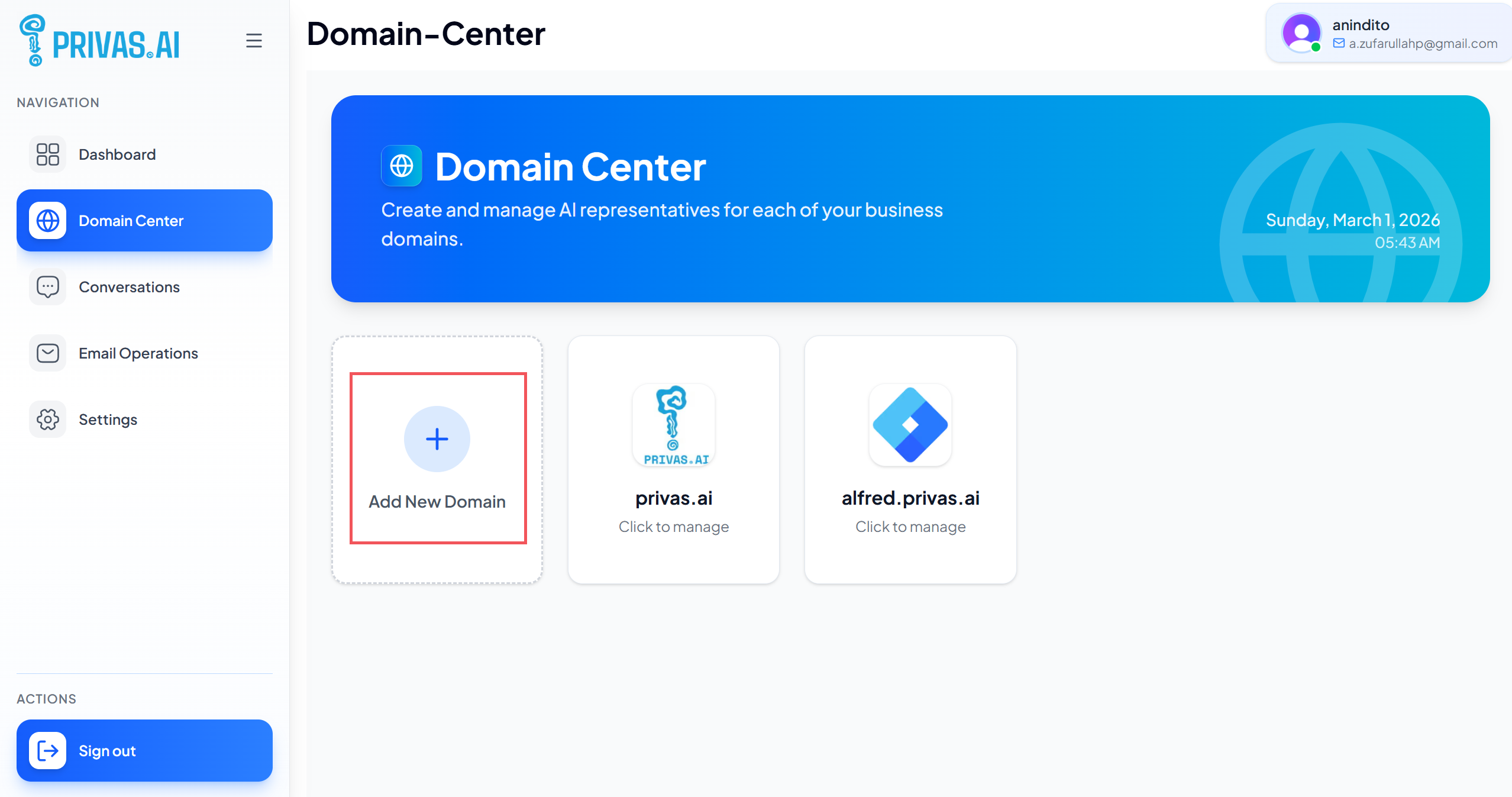
Step 1: Open Domain Center
- Log in to your Privas dashboard.
- From the sidebar, open Domain Center.
This is where you manage all websites connected to Privas AI.
Step 2: Create a new domain
- Click Add New Domain.
- Enter your website hostname.
- Upload an icon or image (optional).
Examples of a hostname:
example.comwww.example.comshop.example.com
Do not include https:// or page paths like /about or /pricing. Enter only the main website
address.
The hostname does not have to be a real public address. It acts as an identifier for the representative's knowledge scope. A single organization can create multiple domains and assign a different representative to each.
Step 3: Save the domain
Click Add Domain. The domain appears in your domain list (refresh if it does not show up immediately).
At this stage the workspace exists but does not yet know anything about your business. That is expected. No assistant appears on your website yet; installation happens later.
Next step
Continue to AI Identity to tell the assistant which organization it represents.