
B. Getting Started
AI Identity
Tell the assistant which organization it represents, what role it plays, and the scope of questions it should answer on your behalf.
By aninditoUpdated 6 Sep 2026
AI Identity lets your assistant behave as a representative of your organization rather than a generic chatbot. Configured well, it can clearly explain what your company does, what you offer, how your solution works, and how visitors can get help.
Why this matters
Most chatbots answer like a general assistant. Privas AI works differently: your assistant speaks on behalf of your organization. Identity tells it who it represents, what role it plays, and what scope of questions to answer.
Instead of "I am an AI assistant," the assistant can answer, for example, "Privas AI is a platform that helps organizations deploy an AI website representative to handle website conversations."
Where to configure it
Open your domain, then go to Settings > AI Persona > AI Identity.
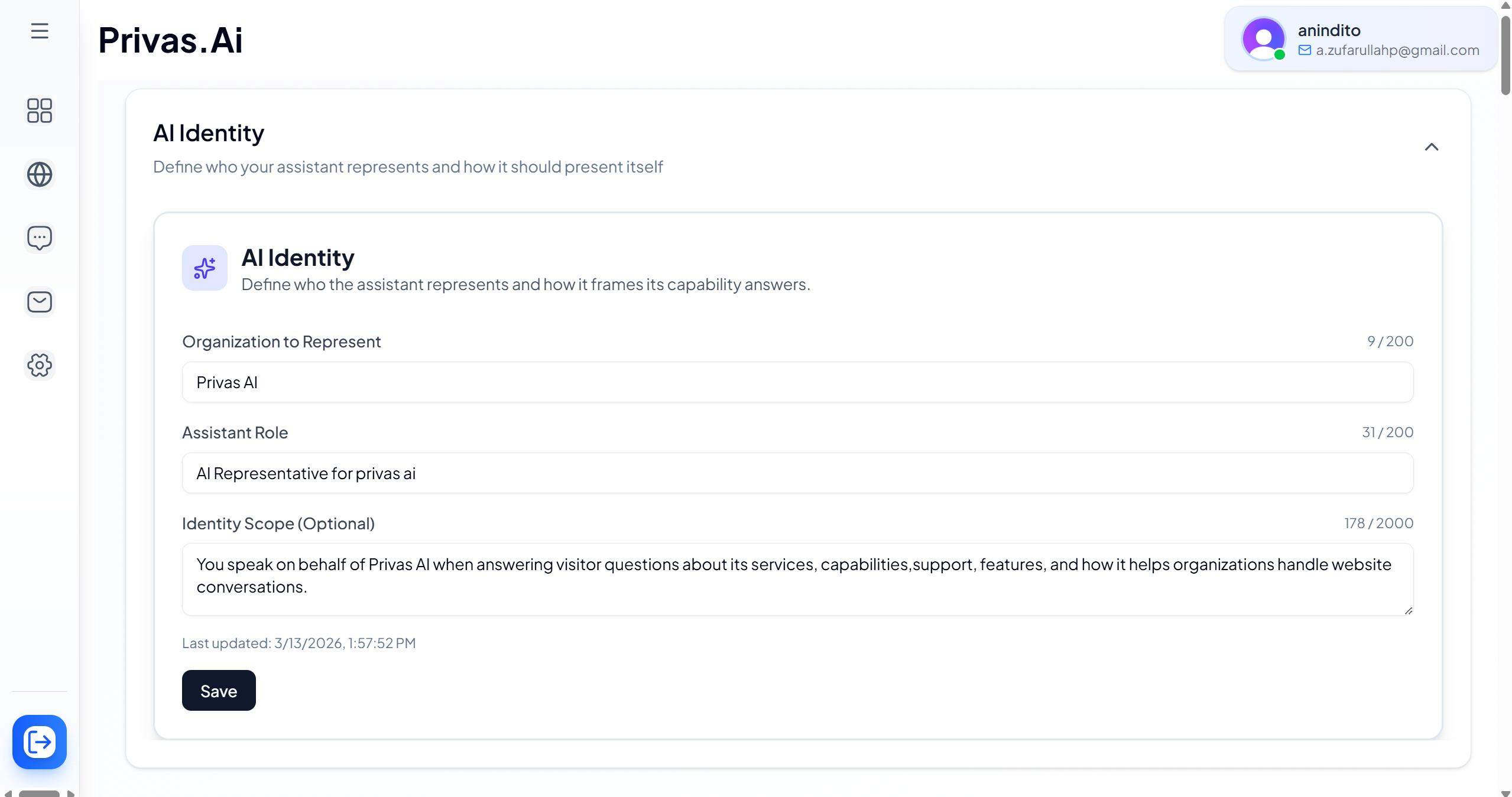
You will find three fields.
Organization to Represent
Which organization the assistant represents. Usually your company, product, or service name.
Privas AI
Assistant Role
How the assistant presents itself. Examples:
- AI Representative
- Customer Support Assistant
- Product Guide
- Website Representative
Identity Scope (optional)
A short description of what the assistant is responsible for representing.
You speak on behalf of Privas AI when answering visitor questions about its services,
capabilities, features, and how it helps organizations manage website conversations.
How identity shapes answers
Once identity is set, the assistant can answer questions like "What is this product?", "What does your company do?", and "How does this work?" using your knowledge sources together with the identity settings. Answers stay grounded in your knowledge and aligned with your organization.
Keep the identity simple. Use your official name, describe what the assistant represents, and keep the scope concise. Avoid long marketing descriptions.
Next step
Continue to Configure the Assistant to set its display name, greeting, and conversation starters.