
M. AI Call
Calls in Your Dashboard
Where calls show up for your team: the conversation thread with spoken messages and a call summary, the dashboard, reports, emails and voice minutes.
Updated 19 Nov 2026
Calls appear in the same places as typed conversations, marked as calls.
Conversations
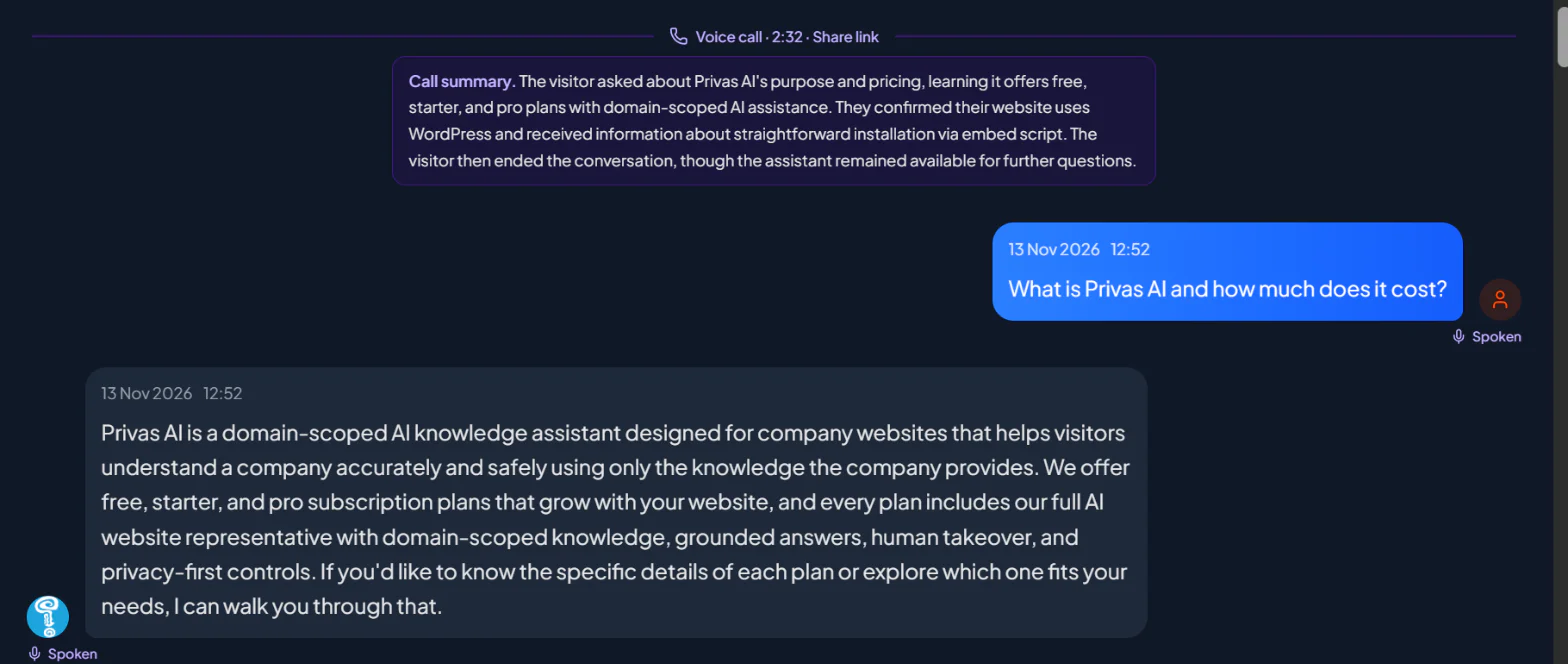
In Conversations, a line marks where each call starts, with its length and where it happened, for example "Voice call · 2:14 · Website widget". Messages that were spoken carry a Spoken mark. A couple of minutes after a call ends, a short Call summary is added under that line. A conversation with a call shows a phone mark on its card in the list.
Dashboard
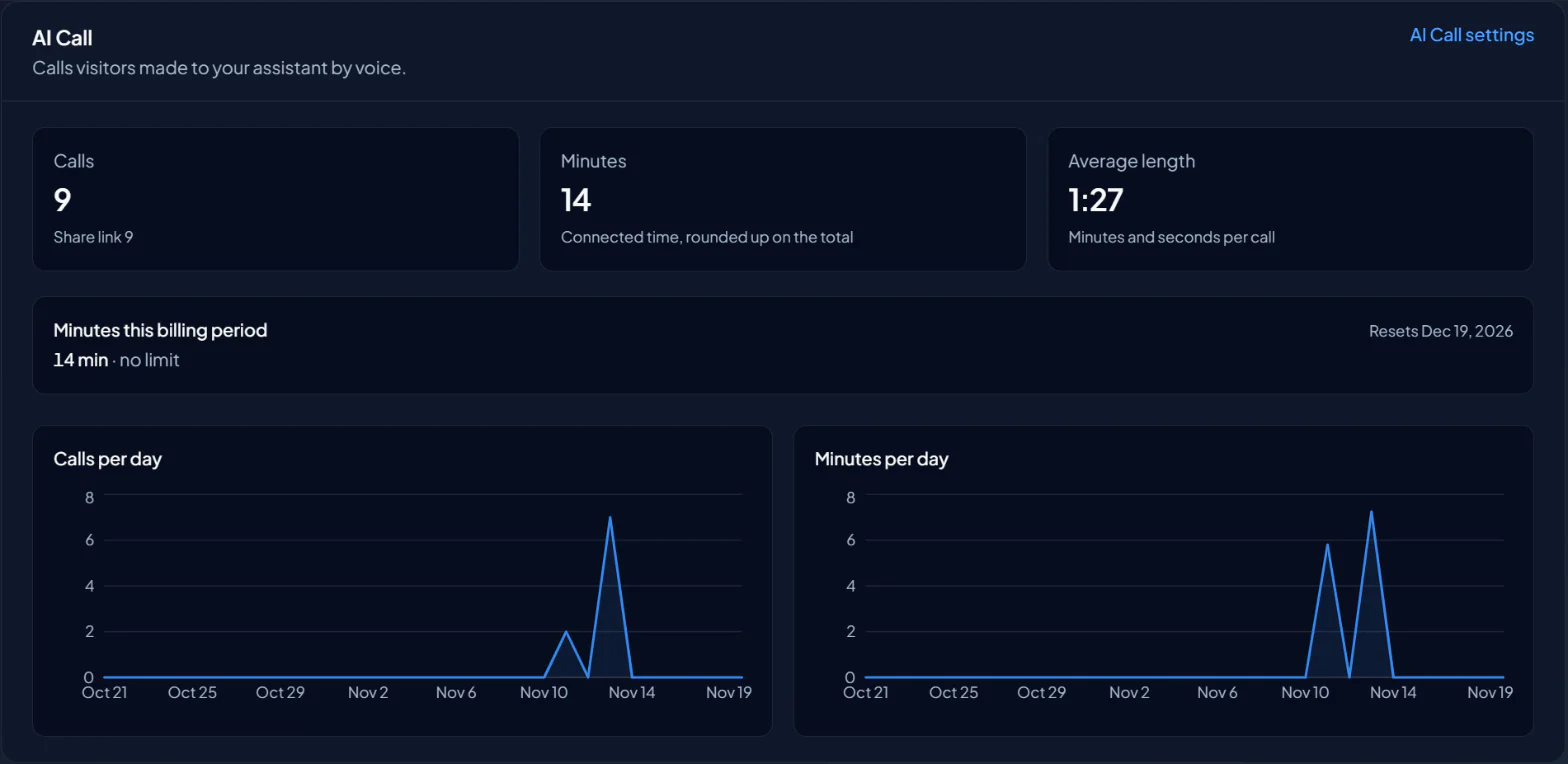
The AI Call section of your dashboard shows the number of calls, the minutes and the average length, with calls and minutes per day, and the voice minutes used this billing period for the domains you own. See Usage Dashboard.
Scheduled reports show Voice calls and Voice minutes for a period that had calls. See Scheduled Reports.
Emails
The people under Settings > Email & reports > Who gets emails receive:
- New AI Call started, when a conversation begins with a call. The first question is marked as spoken, because it is what the speech recognition heard.
- A summary after each call: when and where it happened, how long it lasted, how many questions were asked, the summary, and a link to the conversation. A call in which the visitor said nothing sends no summary.
The domain owner is also emailed when most of the period's voice minutes are used, and again when they are all used. See Monitoring Live Conversations & Email Alerts.
Who can do what
- The owner and Admins switch AI Call on and off, and see the voice minutes.
- Editors can change the voice identity and the call experience, and make a test call.
- Viewers can read the settings.
Agent access
An agent connected through your Workspace MCP can read and change the voice identity and the call experience. It cannot switch AI Call on or off. See Agent Access.