H. Appearance & Whitelabel
Whitelabel
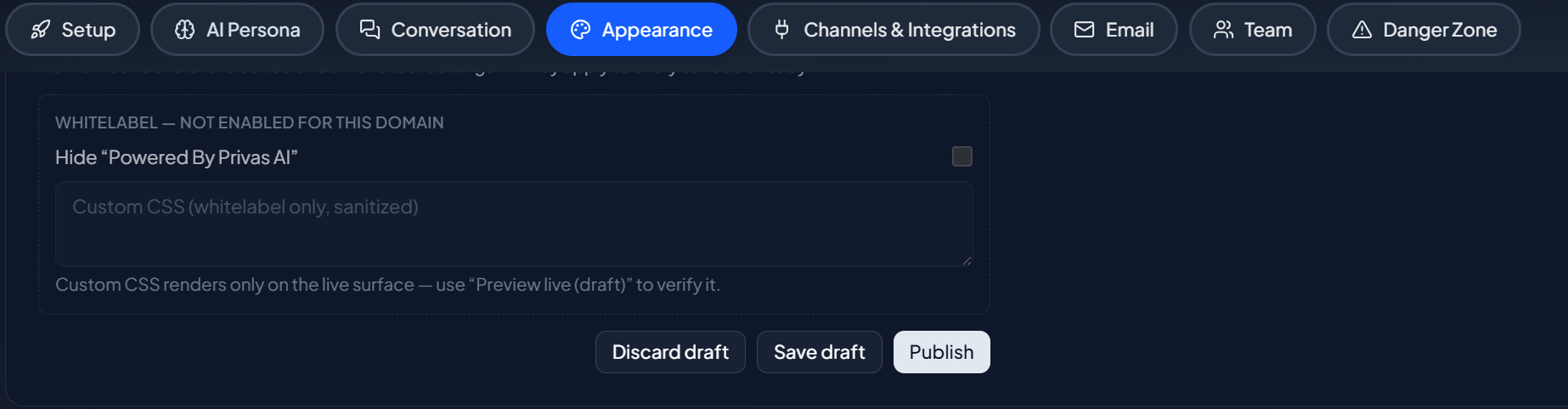
On eligible plans, remove the powered-by mark and apply custom styling so the chat looks entirely like your own product.
Updated 6 Sep 2026
Whitelabel options let the chat look entirely like your own product. These options are available on eligible plans.
Where to configure it
Open your domain, then go to Settings > Appearance. Whitelabel options appear when your plan includes them.
What you can do
- Remove the "powered by" mark. Hide the small Privas AI attribution on your chat surfaces.
- Custom styling. Apply additional styling beyond the standard theme controls.
Plan requirement
Whitelabel is tied to plan tier. If the options are not shown, your current plan does not include them. See Plans & Billing to compare tiers, and Upgrade & Cancel to change your plan.
Next step
That completes appearance. Continue to Integrations & Agent Access to connect live systems and give your own agent access.