
H. Appearance & Whitelabel
Widget Bubble & Teaser
Style the floating chat bubble on your website and set an optional teaser message that invites visitors to open the chat.
Updated 6 Sep 2026
The widget bubble is the floating button on your website that opens the chat. You can style it, and add a teaser message that invites visitors to click.
Where to configure it
Open your domain, then go to Domain Settings > Appearance > Embed Widget Bubble.
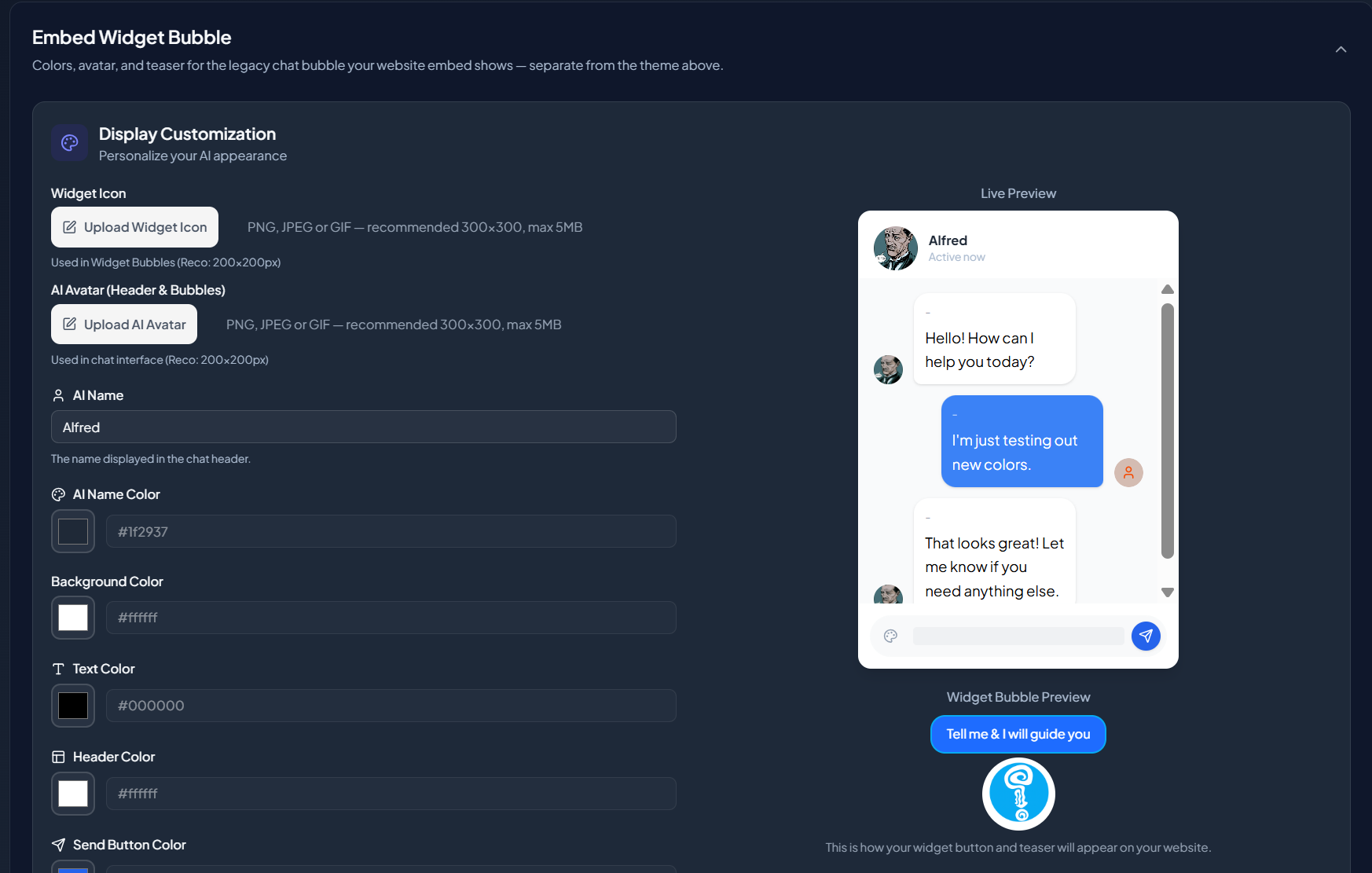
Bubble settings
- Icon and avatar. The launcher image and the avatar shown in the chat. See Customize Widget Appearance for image guidance.
- Colors. The bubble colors, so it matches your site.
The teaser
The teaser is a short message that appears near the bubble to invite a visitor to start, for example "Have a question? Ask me here." Keep it short and specific so it reads as an offer, not an ad.
Separate from the theme
These settings apply to the website widget bubble. The share-link page has its own styling, so a change here does not affect it.
Next step
To remove the "powered by" mark or add custom styling, continue to Whitelabel.