
H. Appearance & Whitelabel
Share-link Experience
Shape the standalone conversation page at privas.ai/c/...: its greeting, the suggested-questions wheel, and the sidebar visitors see beside the chat.
Updated 6 Sep 2026
The share-link page is the full-screen conversation at privas.ai/c/.... Unlike the small website
widget, it is a page of its own, so it has extra elements you can shape.
Where to configure it
Open your domain, then go to Domain Settings > Appearance > Share-link Experience.
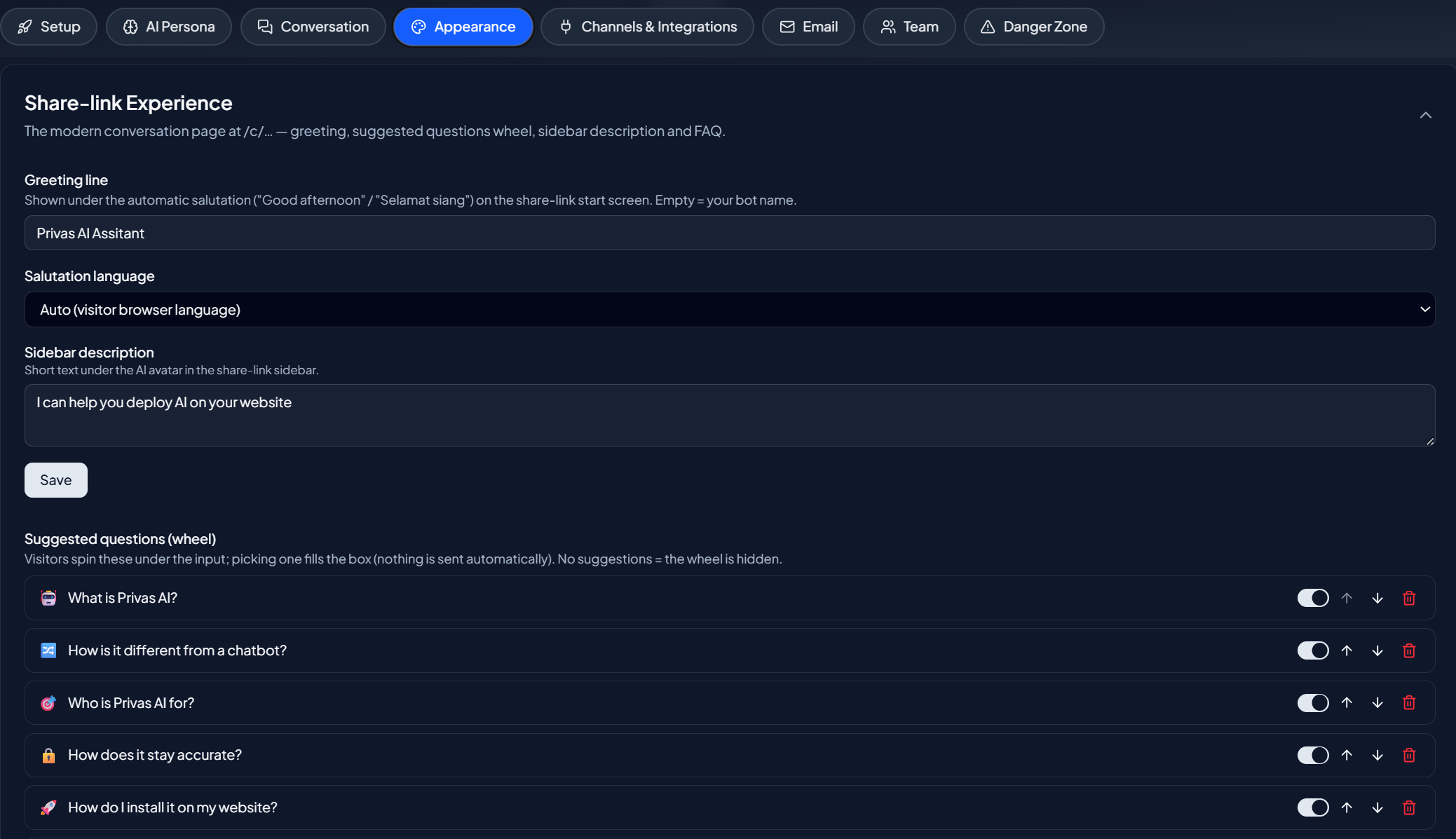
What you can set
- Greeting. The opening message on the share-link page.
- Suggested questions. The set of starter questions shown in the wheel, so visitors can begin without typing.
- Sidebar. The description and guide shown beside the conversation, including the Capability Guide.
Suggested questions fill the box
Like the Capability Guide, tapping a suggested question fills the message box rather than sending it, so the visitor can adjust before sending.
When to use the share link
The share link is useful for private review, for sharing your assistant without installing the widget, and as a standalone page you can link to directly. See Share the Assistant.
Next step
Continue to Widget Bubble & Teaser for the floating chat on your website.