
B. Getting Started
Import a Whole Website
Add many pages at once with the sitemap option: preview the list of pages found, choose which to include, and queue them for processing.
Updated 6 Sep 2026
Adding pages one by one is fine for a handful of URLs. When you want the whole site, use the sitemap option to bring in many pages at once.
When to use it
Use whole-site import when your website has many pages worth answering from, and you would rather review a list than paste URLs individually. For a small site, single-page import is often enough.
How it works
- Open Domain Workspace Setting > AI Knowledge, then add a Web Source.
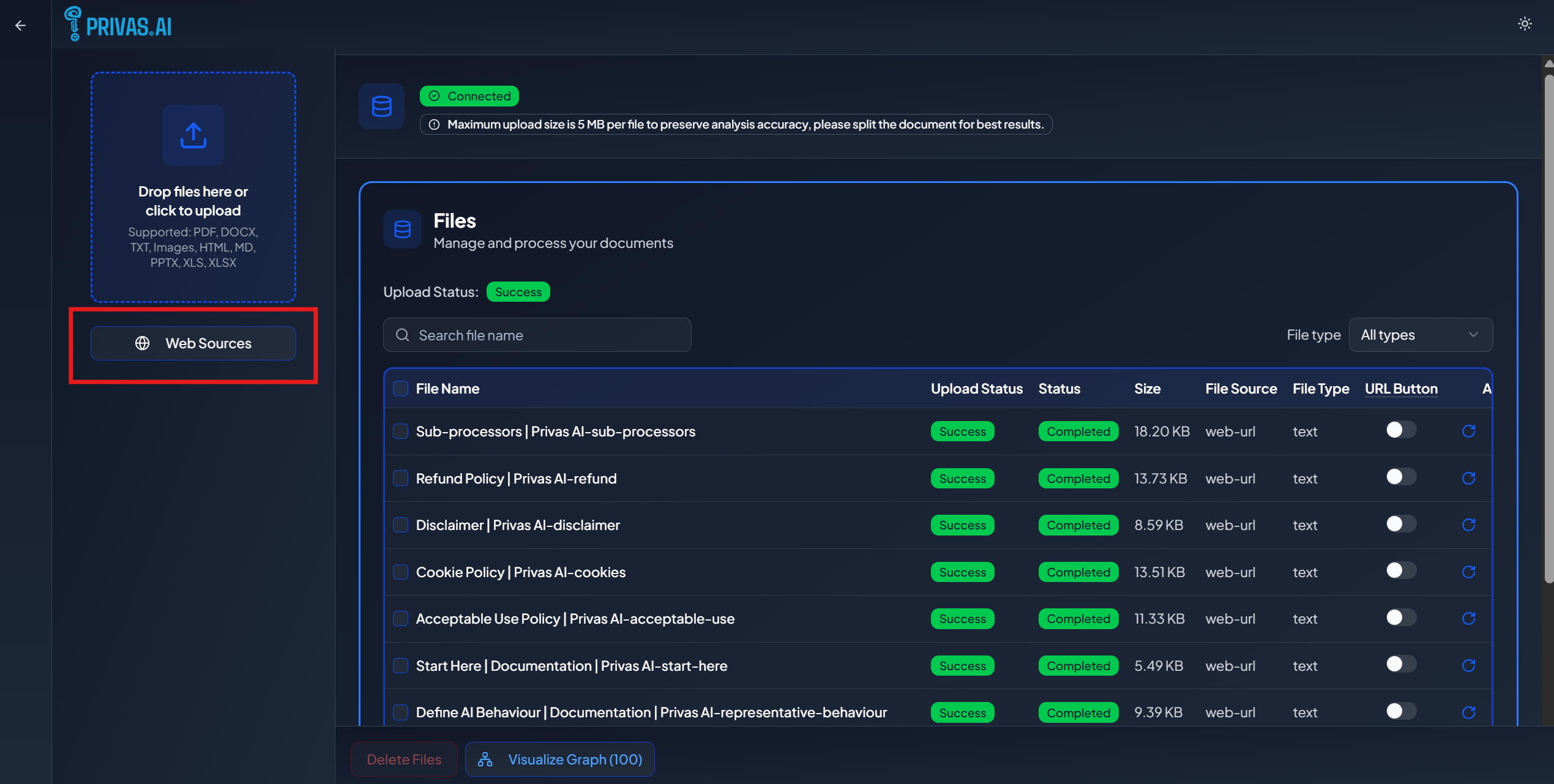
- Choose Whole site (sitemap) instead of a single page.
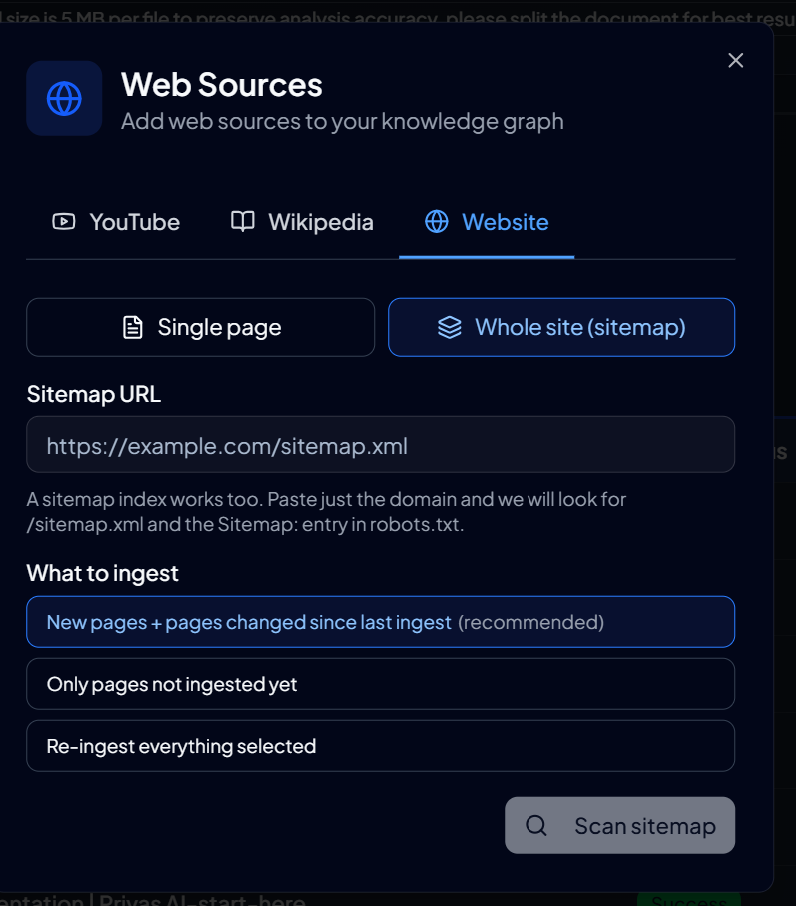
- Enter your website address. Privas AI reads your sitemap and shows the pages it found.
- Review the list and select the pages you want to include.
- Queue the selected pages. Processing runs in the background.
Choose pages deliberately
A sitemap often lists pages that do not help the assistant: legal boilerplate, tag archives, empty category pages. Select the pages a visitor would actually ask about, and leave out the rest. Fewer, higher-quality pages produce better answers than importing everything.
Plan limits
Knowledge sources count against your plan's per-domain source limit. If a batch would take you past that limit, some pages are not added. Trim your selection, or upgrade your plan. See Plan Limits.
Track progress
Queued pages process over time. You can leave the page and come back; each page appears in your sources list as it completes.
Next step
Once your key pages are in, continue to Share the Assistant to review the results.