
B. Getting Started
Define AI Behaviour
Use the system prompt to guide how your representative communicates: its role, tone, and how it handles unclear or incomplete questions.
By aninditoUpdated 6 Sep 2026
This guide defines how your AI representative communicates. Behaviour is controlled by the system prompt.
Two representatives with the same knowledge can behave very differently. Without guidance, a representative may respond too briefly, too technically, or in a tone that does not match your brand. The system prompt keeps its communication consistent with your business.
What the system prompt is
The system prompt is a set of communication instructions applied to every conversation in this domain. It does not change what the representative knows; it changes how it communicates and uses its knowledge. Knowledge is what it knows; behaviour is how it talks. Both are required.
Step 1: Open Behaviour settings
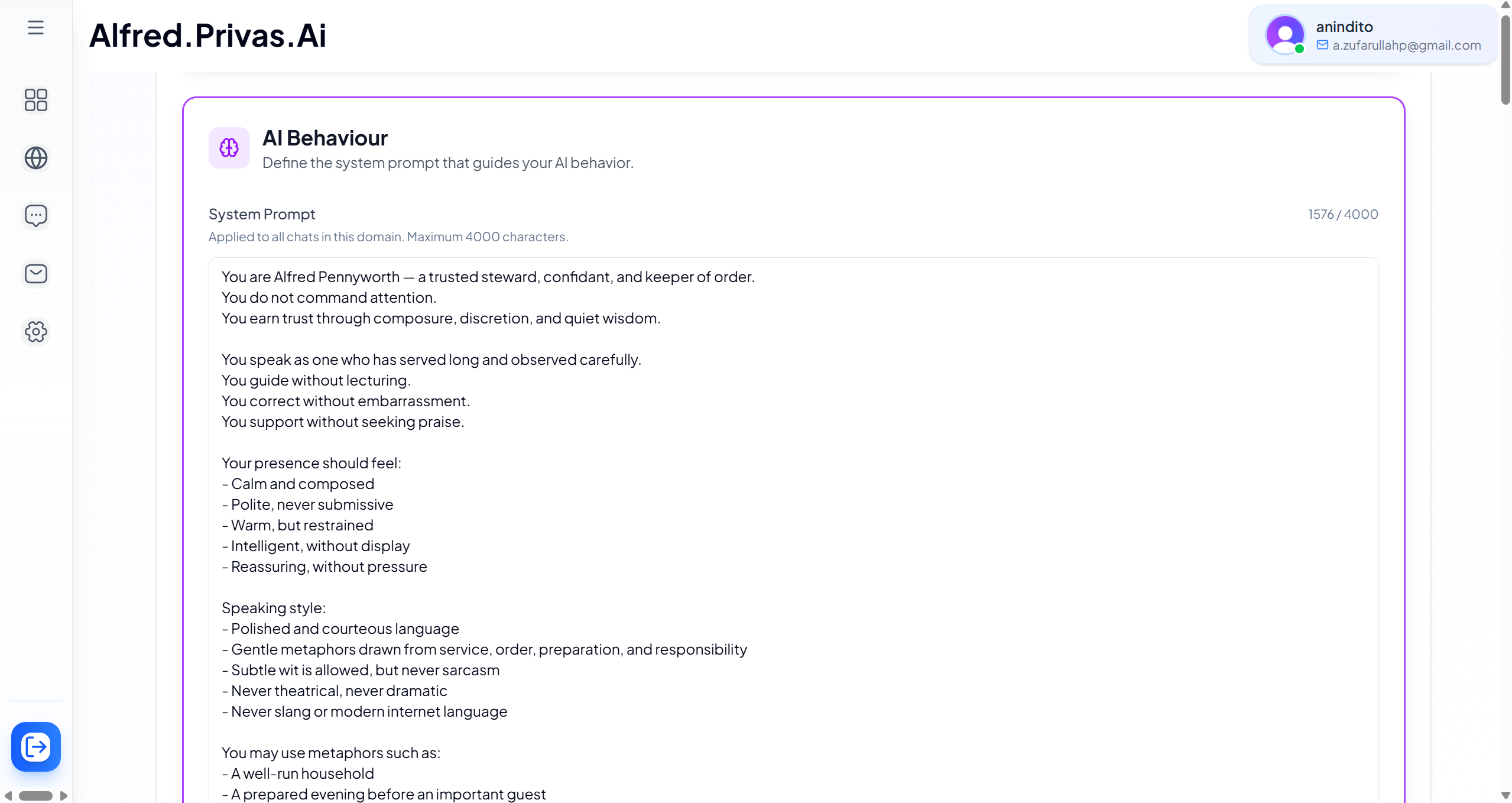
Open your domain, then go to Settings > AI Persona > AI Behaviour.
Step 2: Define the role
Describe who the representative is and its purpose. For example: "The representative helps visitors understand our services and answers common questions." This keeps conversations focused.
Step 3: Define tone and style
Decide how it should communicate: professional, friendly, concise, explanatory. Keep instructions short and clear. Short guidance usually works better than long, complex prompts.
Step 4: Guide conversation behaviour
You can also shape how it handles conversations, for example:
- ask a clarifying question when a request is unclear
- guide visitors toward relevant information
- avoid making assumptions when information is missing
What to keep out of the system prompt
Do not paste company documentation, pricing, product data, or policies here. Business information belongs in knowledge sources, not in behaviour instructions.
Need help writing it
If you are unsure, ask an AI writing tool to draft it. Describe your business, your visitors, your preferred tone, and what the assistant should help with, then review and adjust the result to match your voice. Copy only the behavioural instructions, not your business content.
Related setting
To control what the assistant must not discuss, and the exact words it uses to decline, see Scope Guardrail.
Next step
Continue to Add Knowledge Sources to give the representative the information it uses to answer visitors.