
I. Integrations & Agent Access
Page Actions
Let the assistant help fill a form on the page a visitor is viewing. It proposes each action, and the visitor approves it before anything happens.
Updated 6 Sep 2026
Page Actions let the assistant help a visitor complete a form on the page they are viewing, such as filling fields in a booking or contact form. This works on the website widget.
Where to configure it
Open your domain, then go to Settings > Conversation > Page Actions.
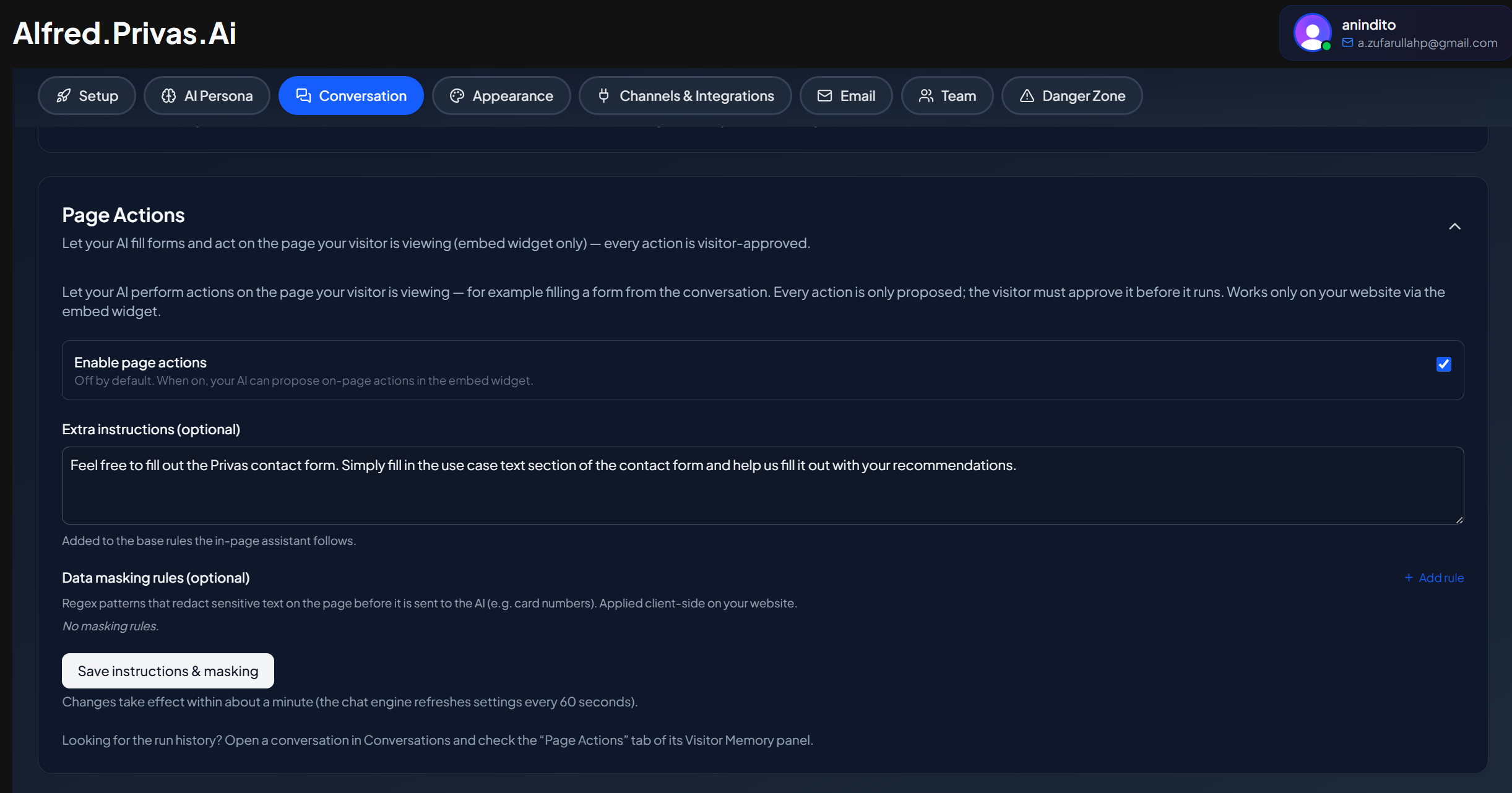
Every action is visitor-approved
The assistant does not act on the page by itself. It proposes an action, and the visitor approves it before anything happens. Nothing is filled or submitted without the visitor's explicit approval, so the visitor stays in control at every step.
Where it works
Page Actions run on the website widget, where there is a host page to act on. They do not apply to the standalone share-link page.
What you can review
The settings page includes a runs log, so you can see what actions were proposed and how visitors responded.
Why this is safe by design
Because each action needs approval, the assistant cannot change a visitor's form or submit anything on its own. It assists; the visitor decides.
Next step
Continue to Agent Access to give your own agent read access to your workspace.