
E. Conversation Management
Bell Escalation (Request Admin)
Let a visitor request a human during a live chat. The bell notifies your configured recipients with a direct link to the conversation.
By aninditoUpdated 6 Sep 2026
Bell escalation lets a visitor ask for human assistance during a conversation. When used, the system notifies your team with a direct link to the conversation, creating a clear path from AI to a person.
Before you start
Escalation emails are only delivered if a recipient is configured. Set up email recipients first, or no one will be notified.
Configure recipients
- Open your domain, then go to Settings > Email.
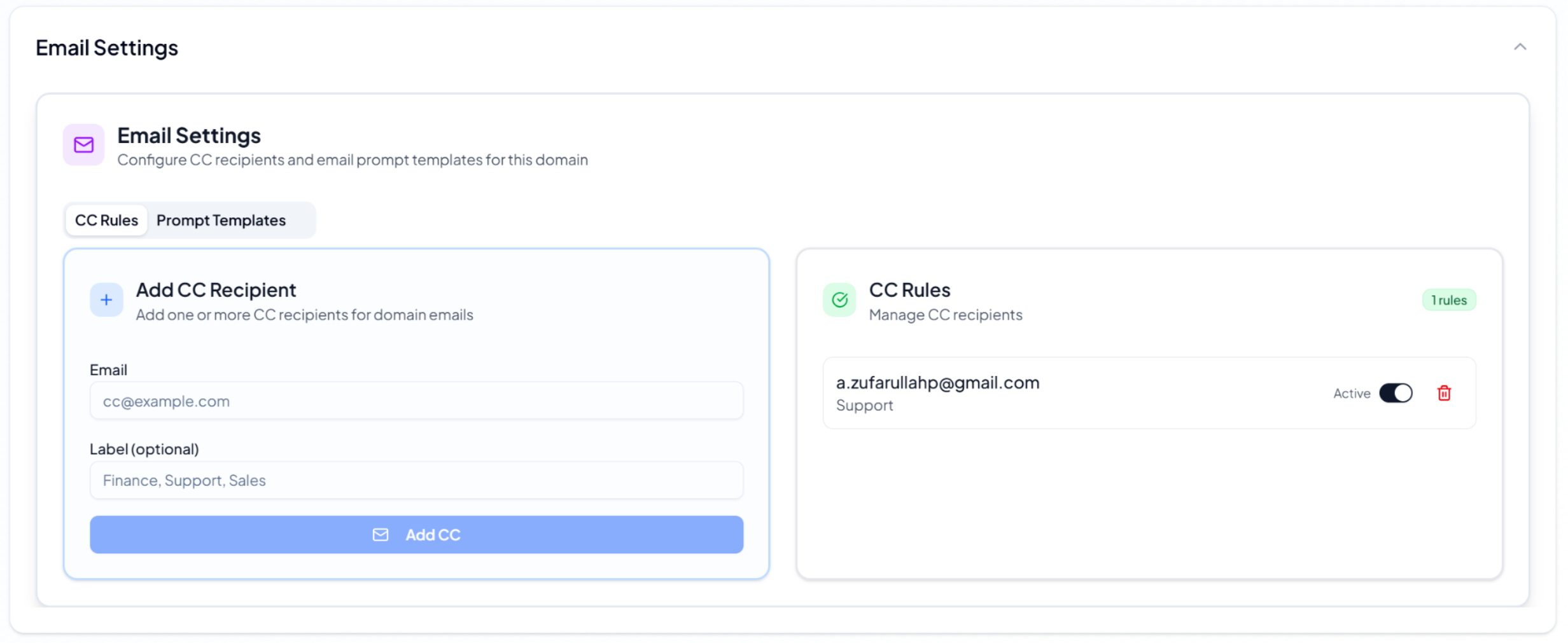
- Open the CC Rules tab.
- Add at least one recipient email.
- Click Add CC.
- Make sure the rule is Active.
You can add an optional label such as Support, Sales, or Finance. This controls where escalation emails go; it does not change how the AI responds.
What visitors see
In the chat, visitors see a bell icon next to the message input.
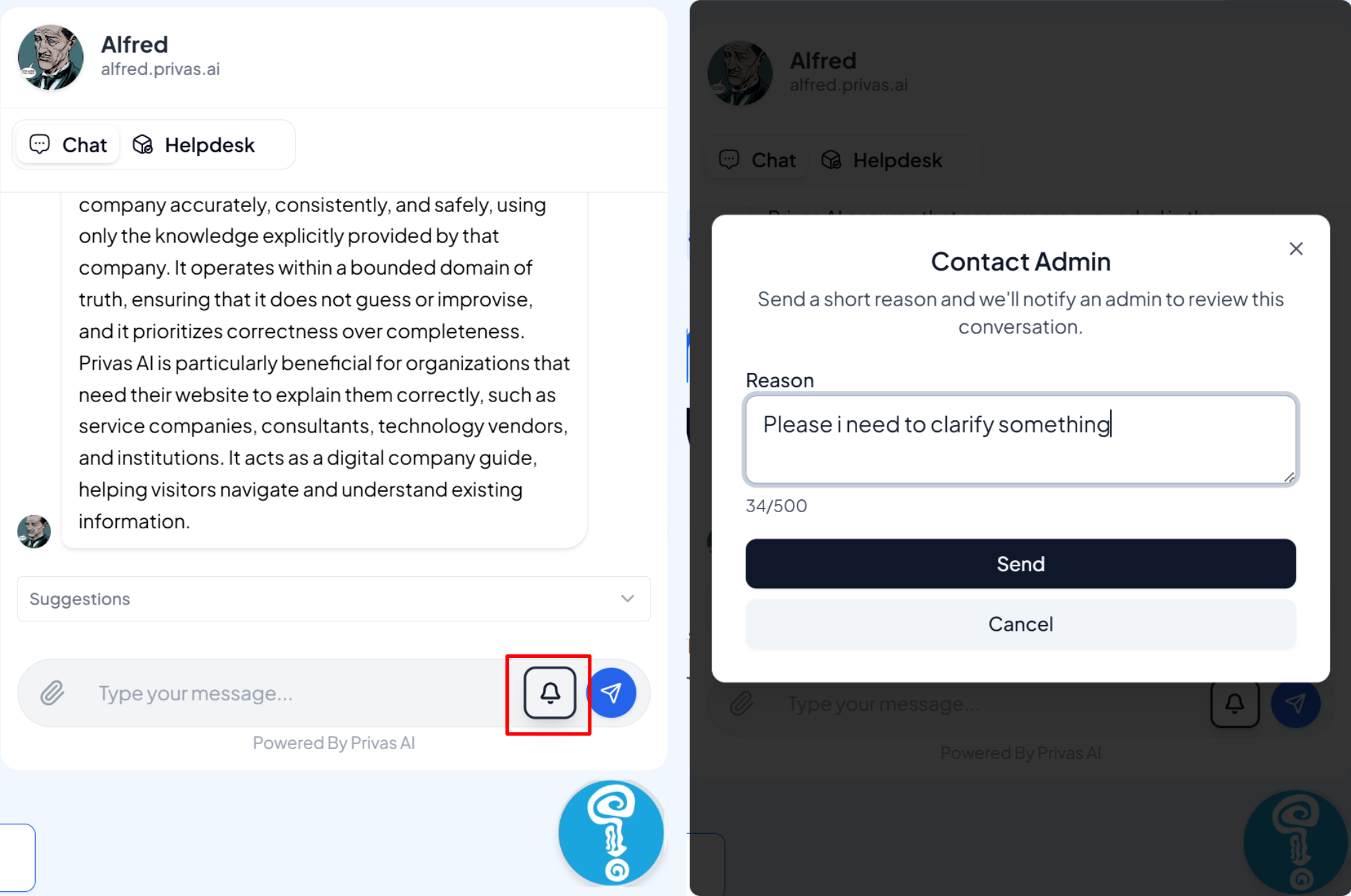
When a visitor clicks it, a Contact Admin dialog appears, they enter a short reason, and click Send. They stay in the same conversation; nothing is reset.
After submission
An email notification goes to your recipients, the conversation stays active, and the AI keeps responding unless an admin takes over.
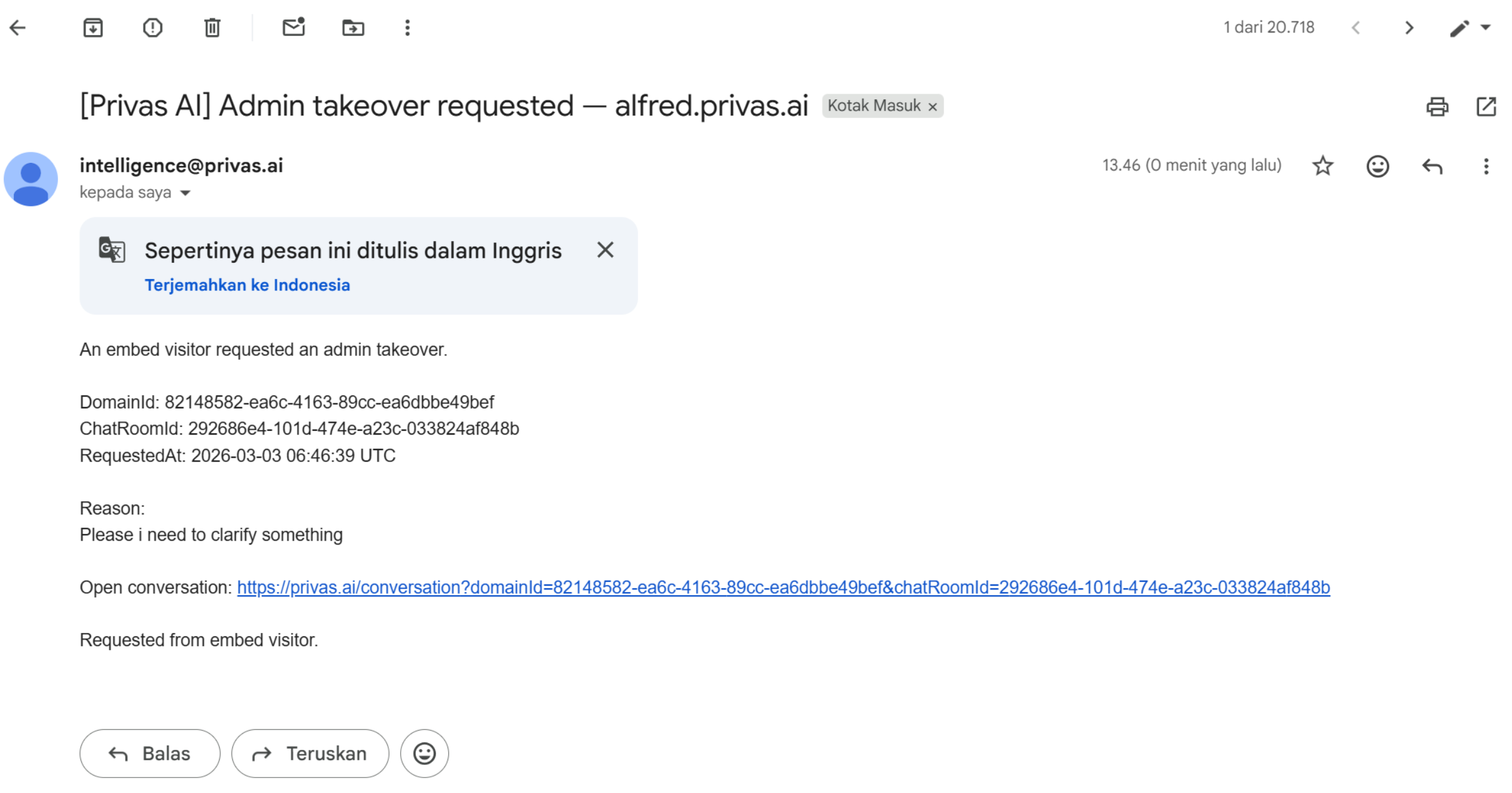
The email includes the domain, chat reference, timestamp, the visitor's reason, and a direct link to open the conversation. The email does not reply to the visitor for you.
Showing or hiding the bell
The escalation bell is visible by default. You can hide it for a domain in Settings > Conversation > Escalation Bell if you do not want visitors to request a human from the chat.
What this affects, and what it does not
The bell raises admin awareness of important conversations and triggers the notification workflow. It does not stop the AI, close the conversation, or send marketing emails.
Best practices
- Keep at least one active recipient.
- Monitor escalation emails.
- Respond promptly to high-intent requests.
- Use takeover for sensitive or sales cases.
Next step
Bell escalation notifies your team. Continue to Admin Take Over to learn how to respond directly.