
G. Answer Control
Official Contacts
Set the verified phone, WhatsApp, email, and location the assistant may give out, so it never invents contact details and buttons open the right thing.
Updated 6 Sep 2026
Official Contacts is where you set the verified contact details the assistant is allowed to share. When a visitor asks how to reach you, the assistant uses these, so it never invents a phone number or address.
Where to configure it
Open your domain, then go to Settings > AI Persona > Official Contacts.
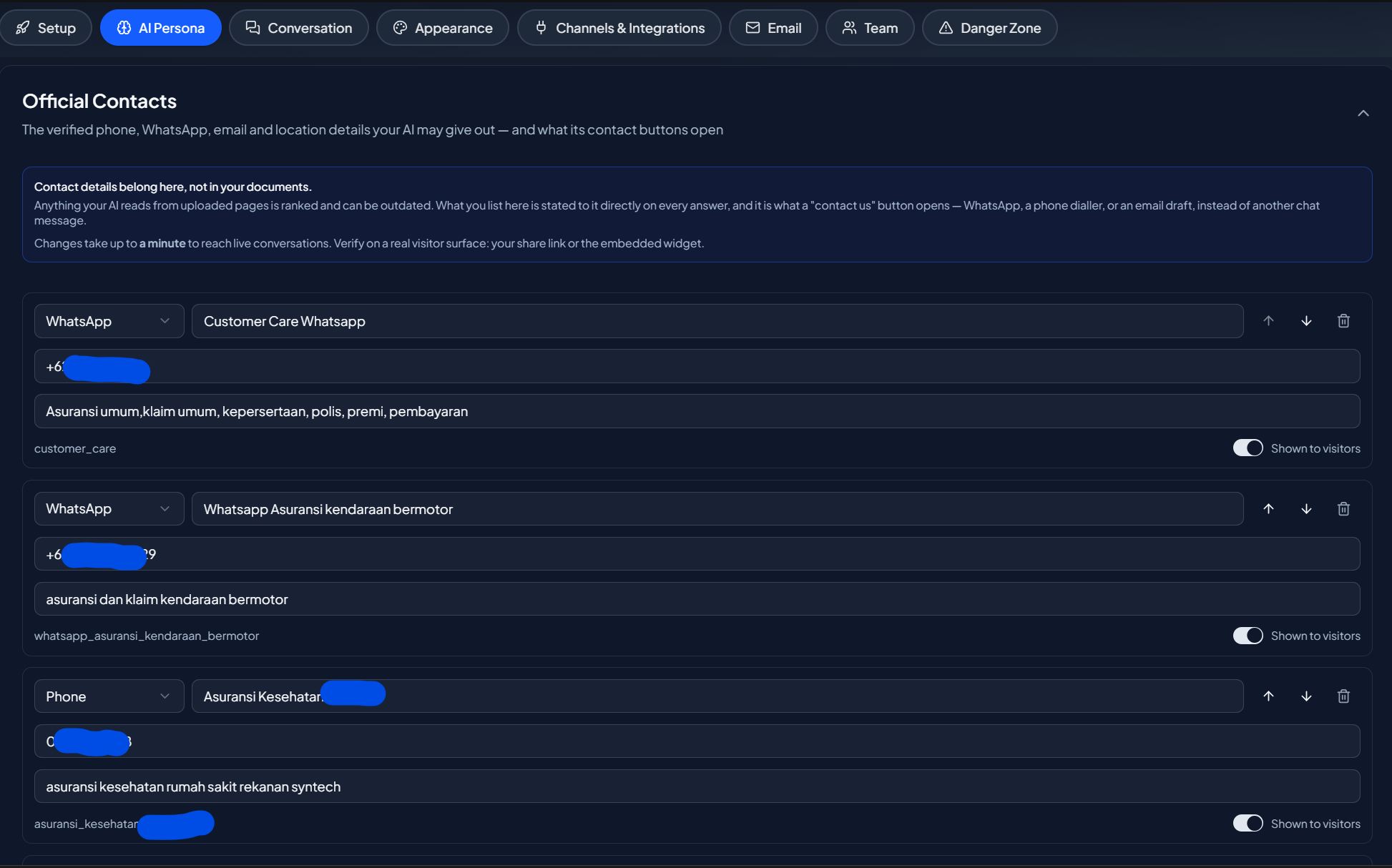
What you can add
- Phone
- Location or address
Add only details you want visitors to receive. If a channel is empty, the assistant does not offer it.
Contact buttons
When the assistant shares a contact, it can show a button. What the button does depends on the channel:
- WhatsApp and links open the chat or page directly.
- Phone and other non-web details are shown as text the visitor can copy, because a tap-to-call action does not work on every device. Showing the number keeps it usable everywhere.
Why this matters
Contact details are one of the most common things visitors ask for, and one of the easiest for a generic assistant to get wrong. Setting them here means every answer uses the same verified information, and your team is reachable through the channels you actually monitor.
Next step
Continue to Capability Guide to show visitors what the assistant can do.