G. Answer Control
Scope Guardrail
Declare the subjects your assistant must not discuss and the exact sentences it uses to decline, so off-topic questions get a consistent answer.
Updated 6 Sep 2026
Scope Guardrail lets you declare which subjects the assistant must not discuss, and the exact words it uses to decline. It keeps the representative on-topic and consistent when a visitor asks something you do not want it to answer.
Where to configure it
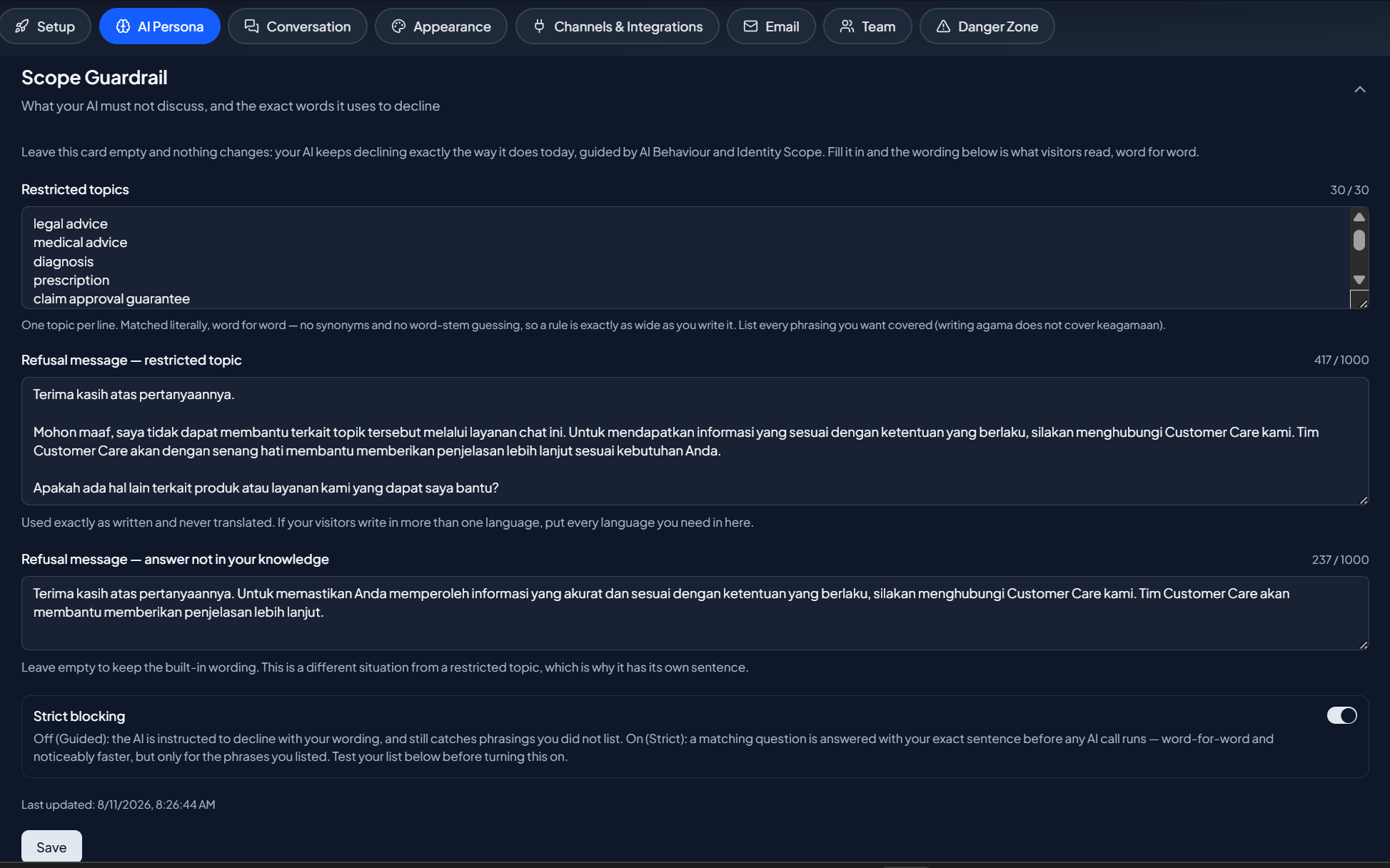
Open your domain, then go to Domain Settings > AI Persona > Scope Guardrail.
Two independent fields
There is no on/off toggle. The presence of text in a field is what turns it on.
- Restricted topics. List the subjects the assistant must not discuss, and the wording it should use to decline. Leave it empty and no topic block is applied.
- Not in knowledge. The wording used when a question is simply not covered by your knowledge. Leave it empty and the built-in default still applies.
An empty card means the assistant behaves exactly as it did before you set anything.
Enforcement: guided or strict
A switch sets how firmly the guardrail holds:
- Guided. The assistant steers away from restricted topics while staying helpful.
- Strict. The assistant declines restricted topics more firmly.
Test before you rely on it
Use the built-in tester on the settings page to check how a phrase is handled, then confirm on a real visitor surface (a share link or the widget). Changes take up to a minute to reach live conversations, so wait a moment before testing after you save.
Write declines that still help
A good decline says the topic is out of scope and points the visitor back to what the assistant can help with, rather than stopping flat. Keep the wording in your brand's voice.
Next step
Continue to Official Contacts to control the contact details the assistant is allowed to share.