
K. Security & Data
Delete a Domain or Account
How to permanently delete a domain and everything it holds, and what deleting your whole account removes. Deletion cannot be undone.
Updated 6 Sep 2026
You can permanently delete a single domain, or your entire account. Deletion cannot be undone, so read what each removes before you continue.
Delete a domain
Deleting a domain removes that representative and everything it holds.
How to do it
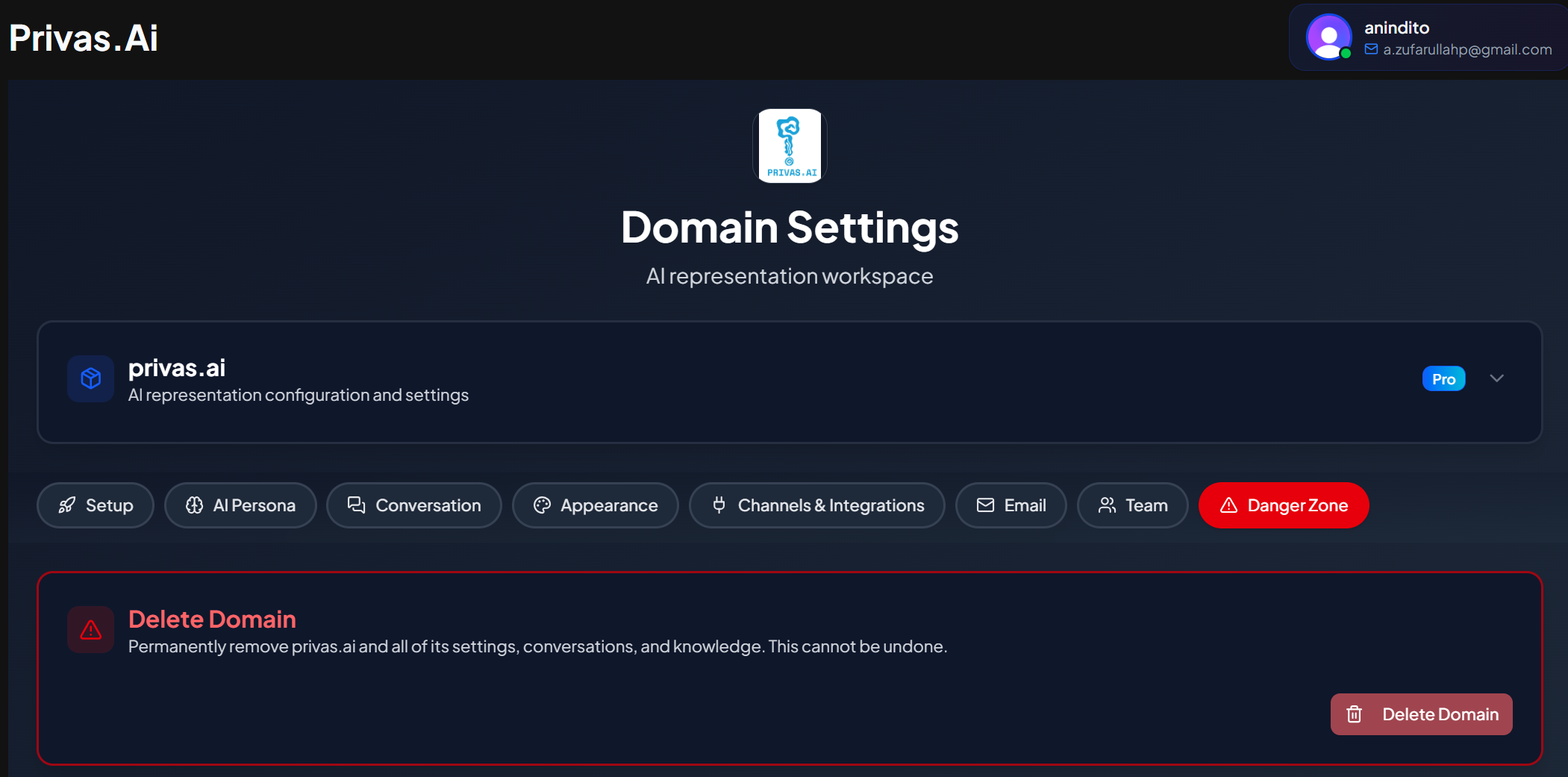
- Open the domain, then go to Settings > Danger Zone.
- Confirm the deletion when prompted.
What is removed
Deleting a domain removes its knowledge base and conversation history, its configuration and settings, its share links and widget setup, and its uploaded images such as the domain icon and avatar. After deletion, the widget stops responding on any site where the script is still installed, so remove the script from those pages too.
This action is permanent.
Delete your account
Deleting your account removes your account and the domains it owns, along with the data described above for each domain.
How to do it
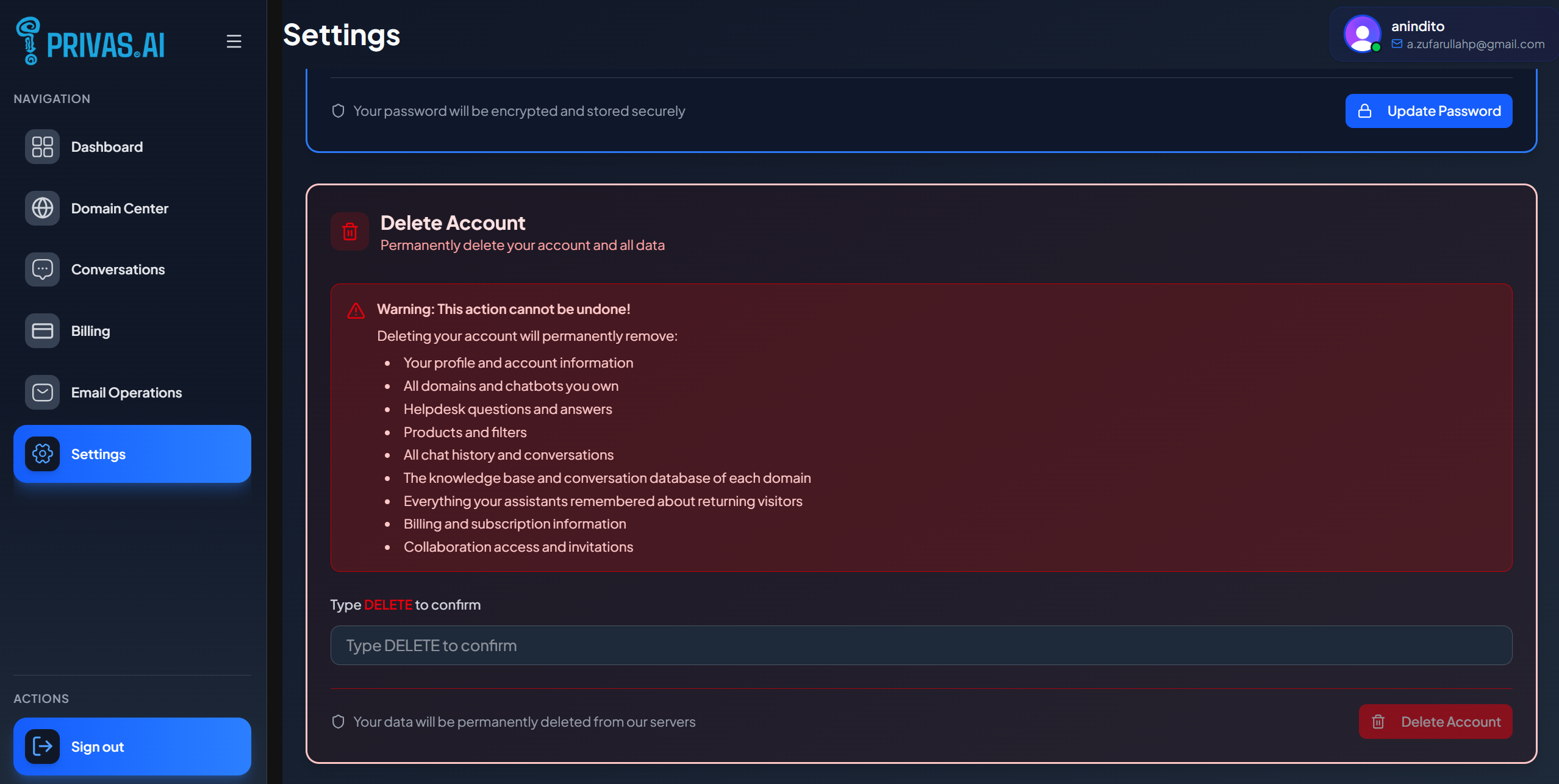
- From the sidebar, open Settings.
- Use the account deletion option and confirm.
Before you delete
- This removes all of your domains. If you only want to remove one, delete that domain instead.
- Cancel is not required first. If you are on a paid plan, account deletion handles the subscription as part of the process.
- It cannot be undone. Export or note anything you want to keep beforehand.
If something goes wrong
If a deletion does not complete, nothing is left half-removed in a way that locks you out: the action stops safely and tells you, so you can try again. If you are unsure, contact support before retrying.